
Connected to your campaign
Pull locations, monsters, items and lore from StoryEngine.
 Join Beta
Import. Prepare. Play.
Create immersive locations, tactical maps, and living scenes for your campaign.
Build walls, doors, lighting, fog, encounters, and points of interest - then bring them straight into play.
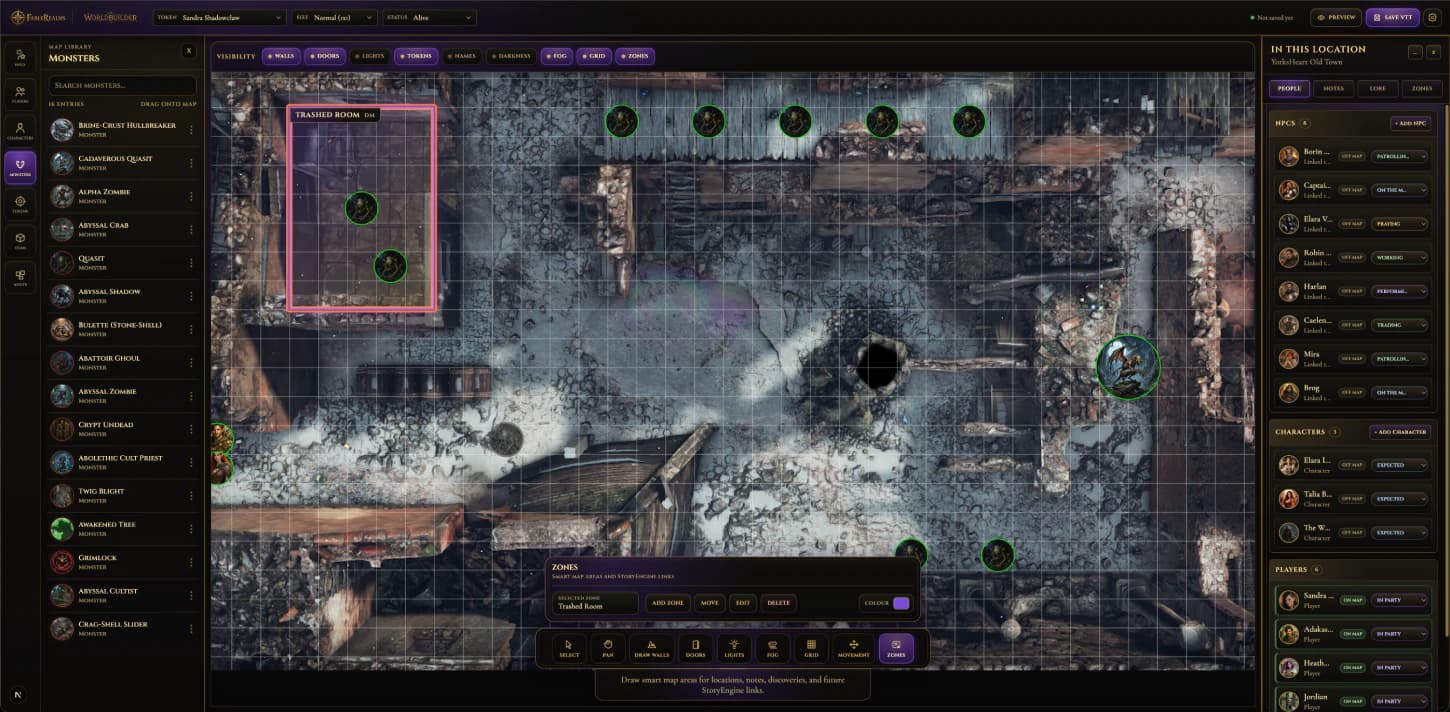
Pull locations, monsters, items and lore from StoryEngine.
Prepare scenes for tactical play, exploration and storytelling.
Outcomes flow to The Chronicle. Discoveries appear in Codex.
WorldBuilder Tools
Bring in the maps you already use and turn them into playable FableRealms scenes.
Align the map, tune the grid, and make tactical play feel clean before the session starts.
Control what players can see, what stays hidden, and what gets discovered.
Turn flat maps into structured spaces with rooms, locks, secrets and barriers.
Set the mood before the first dice roll with lights, glow and scene atmosphere.
Populate your scene with everything the party can meet, fight, find or use.
Make scenes feel alive with guards, wandering threats and moving pieces.
Prepare named areas, notes and future story triggers so the map becomes part of the story, not just a background.
WorldBuilder scenes are connected to your campaign, not isolated map files.
From Prep to Play
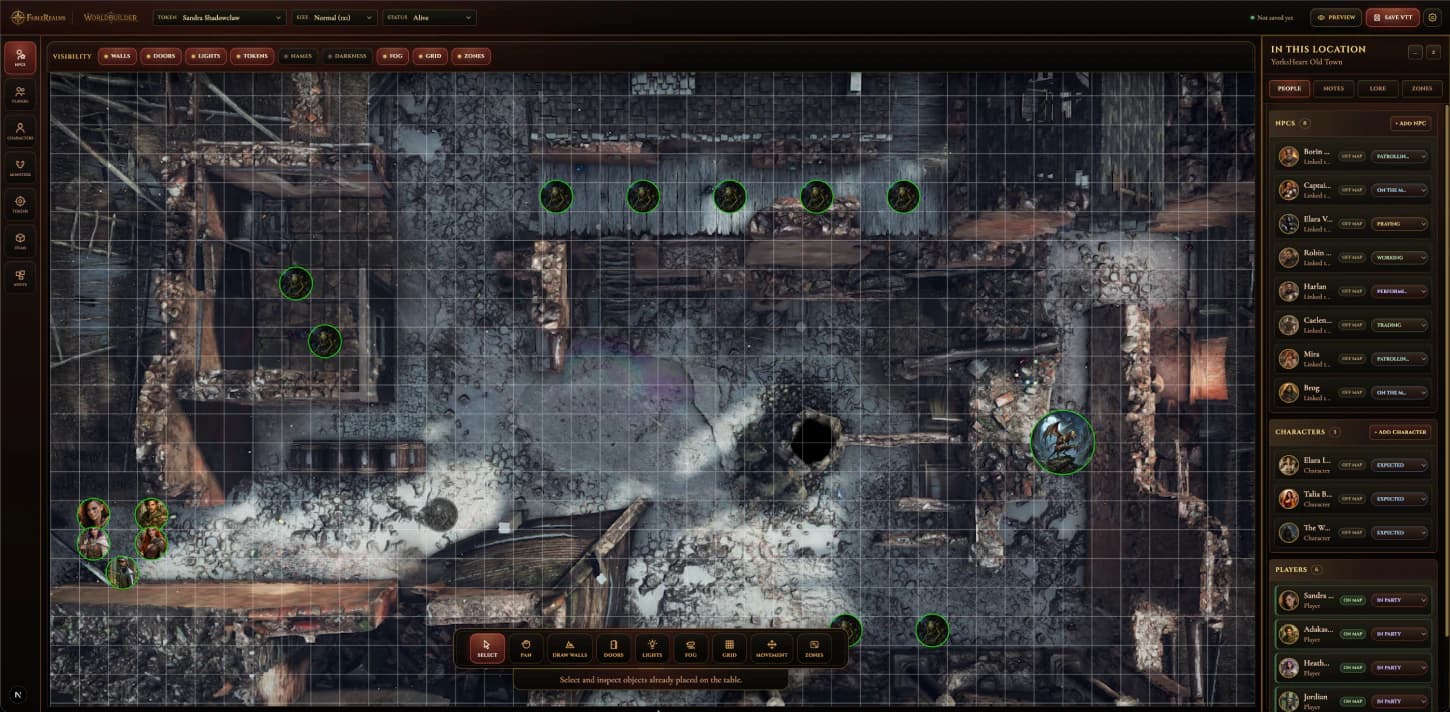 Table launch preview
 Campaign memory preview
Worldbuilder gives you the tools. Table brings it to life.
FableRealms remembers everything.

.png)





.png)